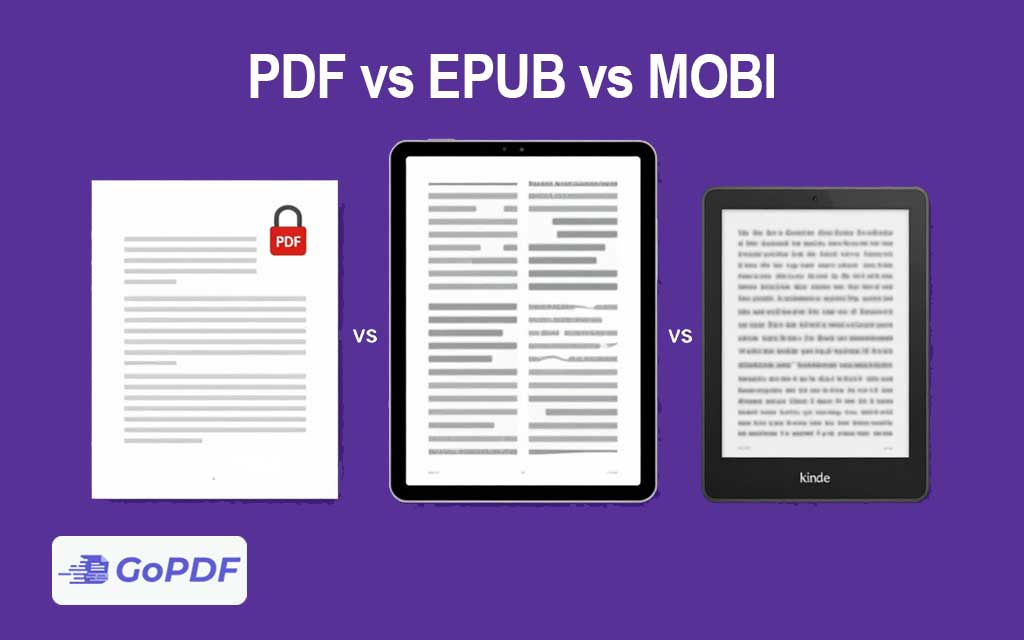
These three formats all deliver readable documents, but they were designed for different reading experiences. The core divide is between fixed layout and reflowable text — and once you understand that distinction, the right choice for a given book becomes obvious. PDF freezes a page; EPUB and MOBI let the text adapt to the screen.
The Fundamental Difference: Fixed vs. Reflowable
A PDF preserves an exact page layout. Every line break, margin, and image sits where the designer placed it, identical on any device. That’s perfect for documents whose layout carries meaning — but on a small screen it forces readers to pinch and pan, because the page doesn’t resize to fit.
EPUB and MOBI are reflowable: the text rearranges to fit whatever screen it’s on, and readers can change font size, typeface, and spacing. There are no fixed “pages” — content flows like a web page. This is what makes a novel comfortable to read on a phone or e-reader.
Format-by-Format
| Format | Layout | Best for | Ecosystem |
|---|---|---|---|
| Fixed | Textbooks, manuals, design-heavy or print-bound documents | Universal | |
| EPUB | Reflowable | Novels, general e-books, most reading apps | Open standard; nearly all e-readers except older Kindles |
| MOBI | Reflowable | Legacy Kindle books | Amazon (now largely retired) |
Where MOBI Stands in 2026
MOBI is the legacy Amazon format, and it’s effectively obsolete. Amazon has moved to newer formats (AZW3 and KFX) and no longer supports MOBI for sending documents to Kindle devices — EPUB is now the recommended format to send to a Kindle, which converts it automatically. If you’re choosing a format today, MOBI is rarely the answer; it matters mainly for compatibility with old files and older devices.
Choosing the Right Format
- Reading flowing text (fiction, long-form) on varied screens? EPUB. It adapts, supports adjustable type, and is the modern open standard.
- Layout that must not change — textbooks, technical manuals, sheet music, anything with precise formatting? PDF.
- Publishing to Kindle? Supply EPUB; Amazon handles conversion. Don’t start from MOBI.
- Distributing to the widest possible audience with no app requirement? PDF opens everywhere without special software.
Common Misconceptions
- “PDF is outdated for e-books”: not for layout-critical material. For a textbook with diagrams, fixed layout is a feature, not a flaw.
- “MOBI is still the Kindle format”: Amazon has retired MOBI in favor of EPUB ingestion and newer internal formats.
- “EPUB and PDF are interchangeable”: converting a layout-heavy PDF to EPUB often scrambles formatting, because reflowable text can’t preserve fixed positioning.
- “Reflowable means lower quality”: reflow is a different design goal, not a downgrade — it prioritizes reading comfort over fixed appearance.
Frequently Asked Questions
Which format is best for a novel?
EPUB. Reflowable text adjusts to any screen and lets readers change font size, which suits long-form reading.
Should I still use MOBI?
Generally no. It’s a retired Amazon format. Use EPUB for Kindle and modern readers; keep MOBI only for old files or legacy devices.
When is PDF the better e-book choice?
When layout must stay exact — textbooks, manuals, design-rich documents, and anything intended to match its printed form.
Can I convert between these formats?
Yes, but converting fixed-layout PDFs to reflowable EPUB often disrupts formatting. Reflowable-to-reflowable (EPUB↔MOBI) conversions are far cleaner.